
AllConnects’ time tracking system digitally records work hours for everyone in your company: drivers and crews on the road, people on the job site, in the depot or workshop, and in the office. Your employees clock in using an ID key or badge in the vehicle, on a time clock, on the job site tablet, or via the app. All hours are consolidated into a single overview, ready for payroll processing.
Digital tracking of work hours
What is digital time tracking for work hours?
Digital time tracking replaces paper timesheets and Excel spreadsheets with a system that records your employees’ start and end times in real time: in the vehicle, on a time clock, or via an app.
Your teams check in using a key or badge in the van. Your employees at the warehouse, workshop, or office clock in using a time clock. Anyone who doesn’t use either of those checks in via their smartphone. All check-ins are automatically compiled into a single, centralized overview.
Starting in 2027, the government plans to implement a general requirement to objectively document each employee’s actual working hours. In practice, this is still often done manually—with all the errors, disputes, and administrative burden that entails. Digital time tracking solves this problem at the source: accurately, verifiably, and without creating extra work.
Please note: this is different from Checkinatwork. Checkinatwork tracks who is present at a construction site for projects valued at €500,000 or more. Starting April 1, 2027, this will include both check-in and check-out. Work time tracking refers to how much someone has actually worked—whether on a small construction site, in a workshop, or at the office.
If your employees drive company vehicles, you can link their hours in FLEET.connect to track & trace and trip logging. That way, you’ll know not only how many hours someone has worked, but also where, in what vehicle, and for which project.
Four Ways to Register
Each employee records where they work
Not everyone in your company starts their day in the same place. That's why you combine different ways of tracking time. All hours are consolidated into a single overview.
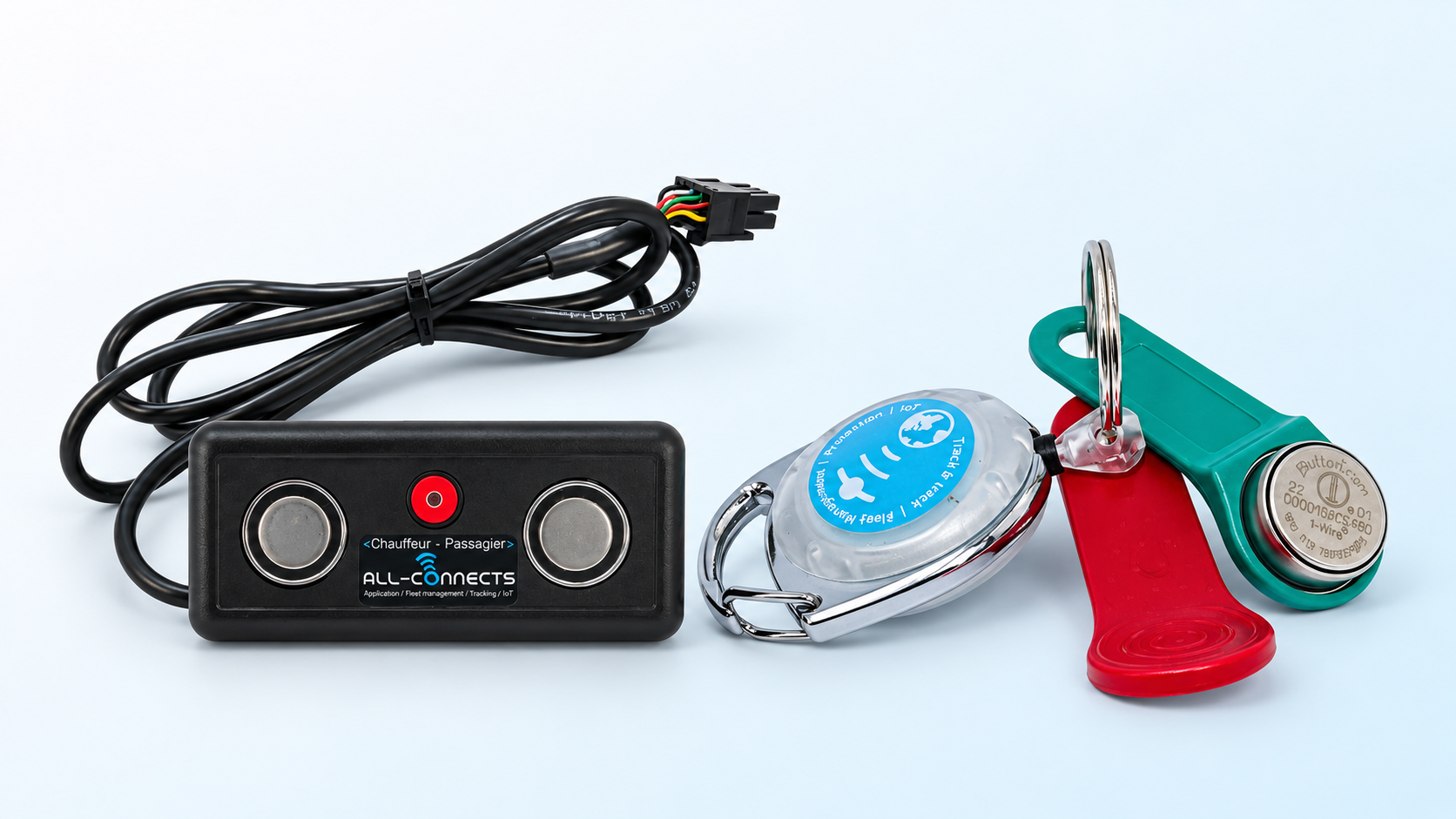
With an ID key or badge
Inside the vehicle
The employee logs in using an ID key or badge in the delivery van or cab. With a single action, he indicates when he leaves, when his work shift begins at the job site or in the depot, and when he finishes. This automatically keeps travel time and work time separate.
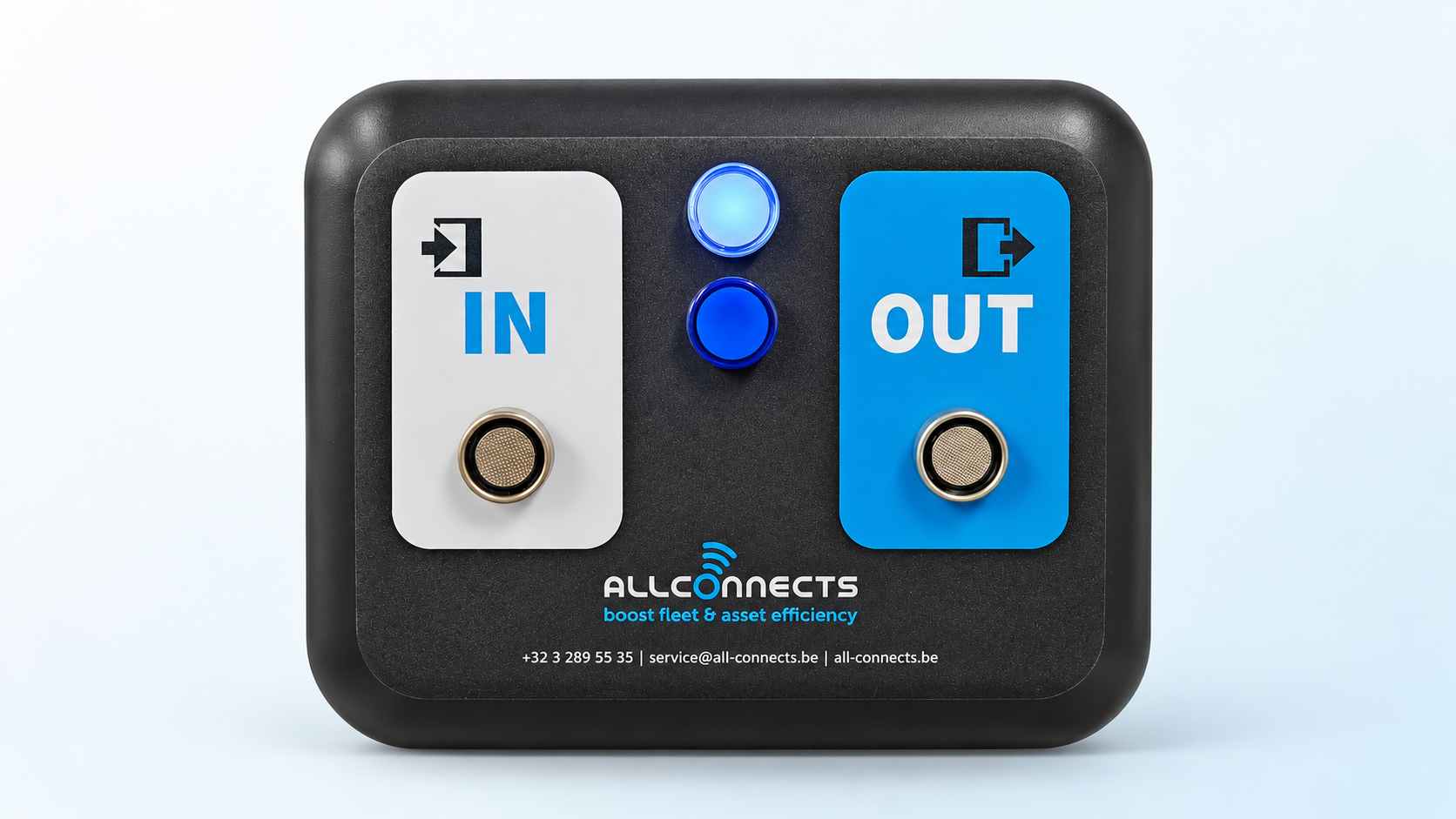
New
With a time clock
At the warehouse, in the office, and on small job sites
A compact time clock with an "IN" button and an "OUT" button. The employee holds their key up to the "IN" button at the start of their shift and to the "OUT" button at the end. It can also be used at construction sites that are not required to use Checkinatwork.
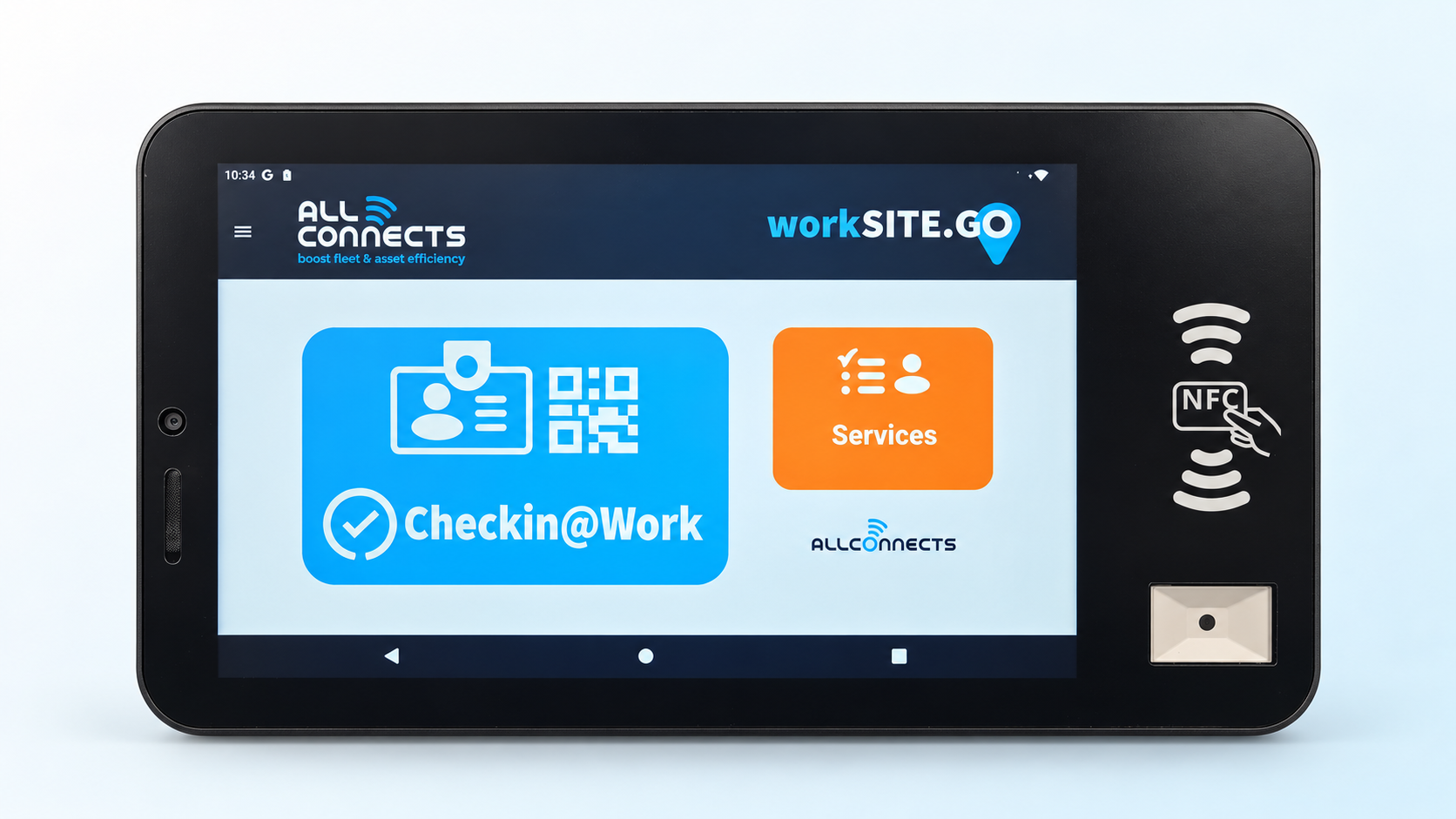
New
With the job site tablet
At a Checkinatwork construction site
A large screen at the entrance to the yard. Your teams use their badges or QR codes to clock in for Checkinatwork and record their work hours. They can immediately see whether the registration with the RSZ was successful: green or red.
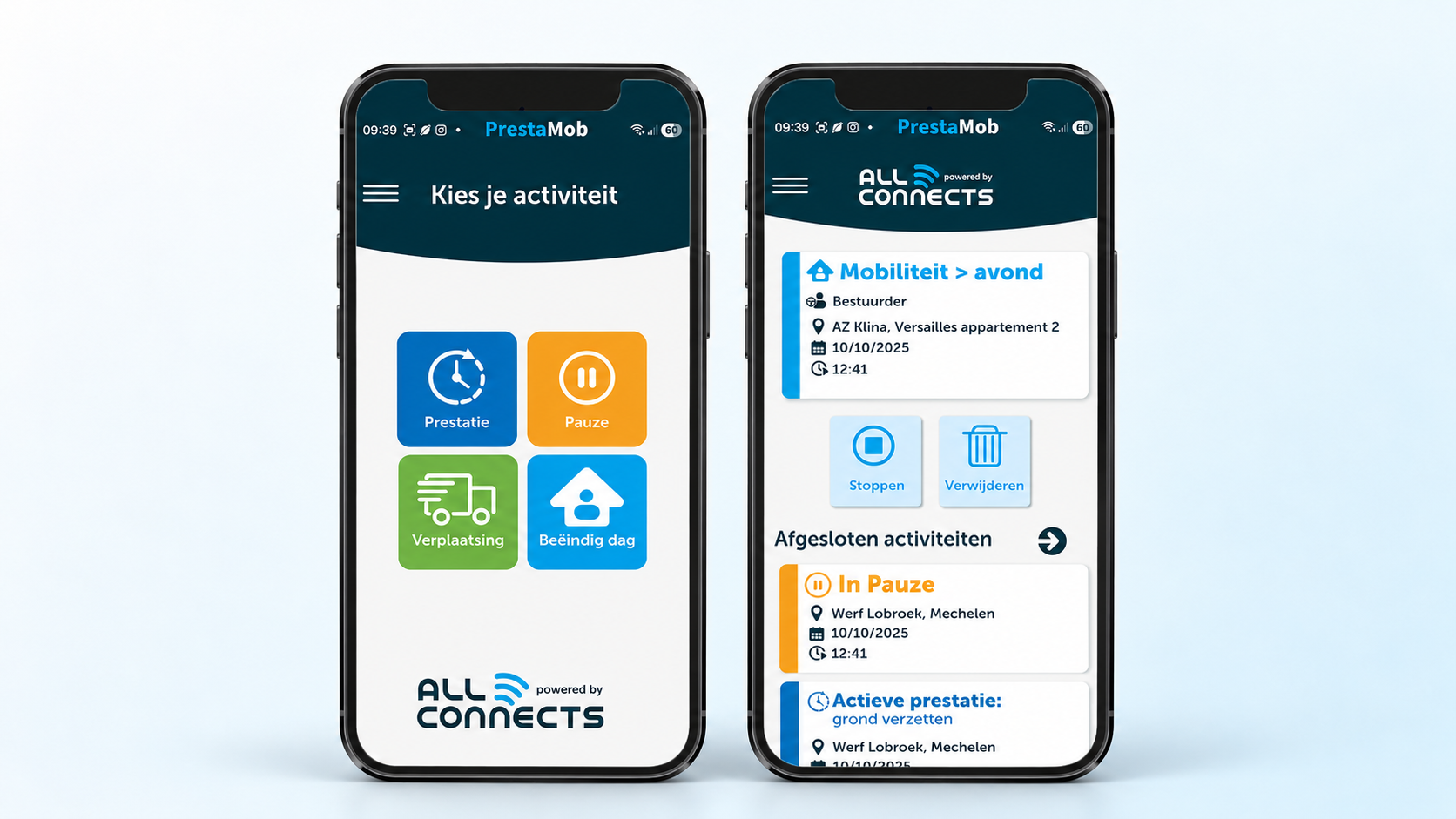
With the app on your smartphone
At any other location
No company vehicle and no time clock nearby? In that case, the employee records the start, break, and end times on their smartphone. In the construction industry, you do this with PrestaMob, which you can also use to record attendance at Checkinatwork job sites.
Does an employee only track their work hours? If so, they will receive a blue ID key or an RFID badge, at the employer’s discretion. Anyone who is also entitled to a mobility allowance uses their key in the vehicle to indicate when the trip ends and work hours begin.
Where are you starting?
In practice, we see three starting points.
Together, we'll figure out which starting point is right for you and what you can keep from your current system.
Request a no-obligation consultationA Day at Your Company
Five coworkers, five workstations, one overview
The planned work time tracking system covers your employees’ actual working hours, regardless of where they work—not only on large construction sites, but also on small renovation projects, in the warehouse, and in the office.
Checkinatwork Construction Site
Jan's (CIAO) yard team
Pick up your badge in the van before leaving, and check in on the site tablet at the entrance.
Tracks movements, working hours, and Checkinatwork
Small shipyard
Bert, on a small renovation project
The construction site is not required to use Checkinatwork. He logs his work hours using his key in the vehicle or through the app.
Records working hours, but nothing is reported to the RSZ
On the track
The driver or sales representative
He logs in with his ID key in the cab or the car. His hours are linked to his trips.
Records working timeper trip and location
Storage facility or studio
The warehouse worker or service team
Hold his key against "IN" when he leaves, and against "OUT" when he goes home.
Records the startand end of working hours
Office
The Office Clerk
Scan your badge at the time clock at the entrance, or check in using the app.
Records the startand end of working hours
Everything at a glance
Per employee and per day, regardless of how they tracked their time. Ready to export to your payroll system.
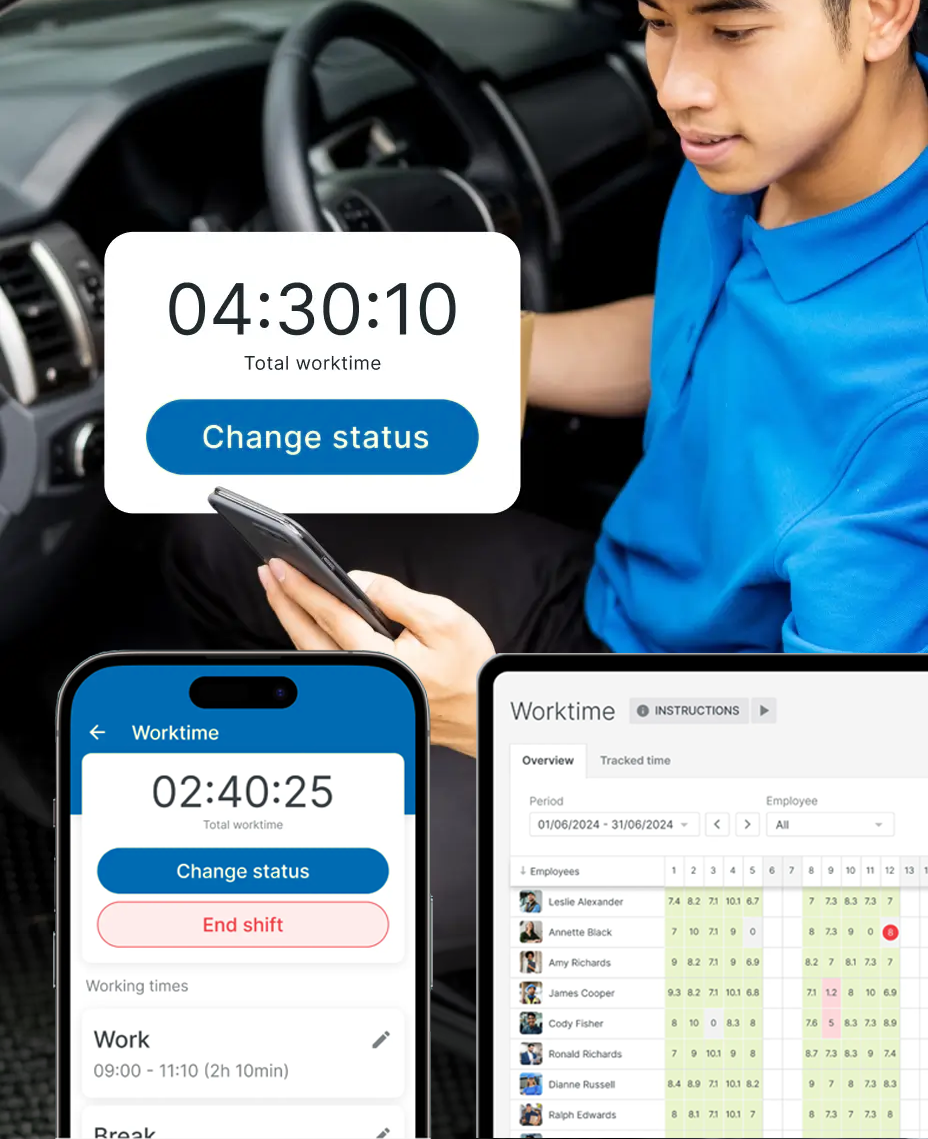
Time tracking app – overview
Always an accurate overview of working hours and performance
No more weekend surprises. You can see updates in real time every workday—and take action as needed, even during the day itself.
Hours worked per employee
By day, by week, or by period — including overtime and deviations from scheduled working hours.
Breaks and overtime
Rest breaks are recorded separately and appear in the report. Overtime entries are immediately clickable.
Daily Activities
Driving, working, waiting, or charging—you can see exactly how much time is spent on each activity.
Locations and clients visited
When someone logs in from the vehicle, their workday is linked to the GPS data. This way, you know not only when but also where the work was performed.
Time savings and efficiency
Less paperwork,
more control
No more wasting time collecting and verifying work hours. The system takes care of the heavy lifting, so you can focus on your business.
On-site registration
The employee clocks in themselves—in the vehicle, at the time clock, or via the app—without any involvement from a dispatcher or HR.
Centralized reporting on a single platform
All employee data consolidated into a single overview. No more separate Excel files or standalone tools.
Export to payroll
You can export recorded hours directly to your payroll software. Manually entering timesheets is a thing of the past.
Fewer mistakes and disagreements
Objective, digital recording prevents differences in interpretation. Everyone works with the same data—no more arguments afterward.
Result
Greater efficiency and less frustration—for you and your employees.
Employee Time Tracking
From Driver to Warehouse Worker
Those who work outside a fixed location benefit the most from digital time tracking. But you should also track your employees at the warehouse and in the office using the same system.
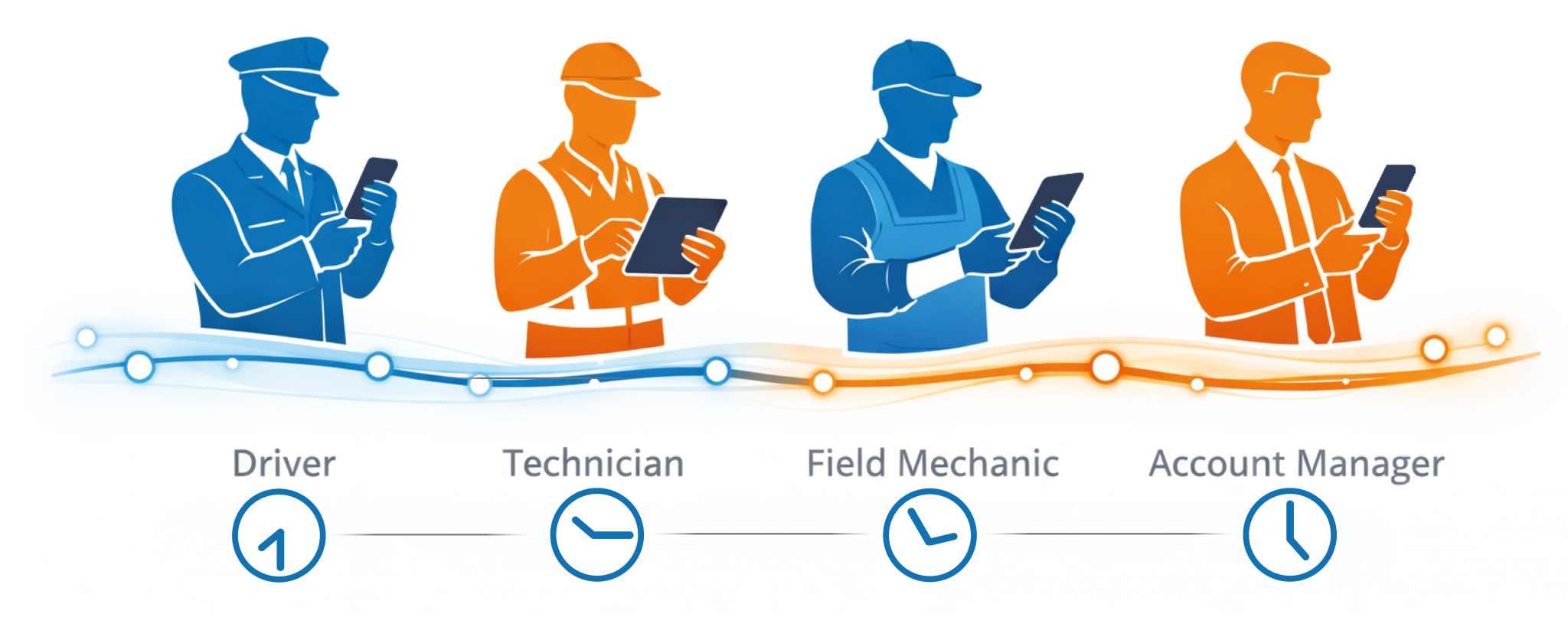
Drivers & Transportation
Work hours are automatically linked to trips and vehicles. No more manual notes after a long trip.
FLEET.connectService and Installation Teams
For each call, staff members record what tasks they performed and how long they were on site.
Per customer & locationTechnicians on the field
From site to site, from client to client—every trip and every hour is trackable and linked to the correct project.
Project RegistrationStorage, Studio & Office
Even those who aren't on the job site record their work hours: by swiping a key or badge on the time clock, or through the app. Everyone is listed in the same overview.
Time Clock IN/OUT
Working hours with context for each task
Because work hours are automatically linked to trips and locations, you not only see how many hours someone has worked—but also where, using what, and for which project. This makes all the difference when it comes to invoicing, project tracking, and staff scheduling.
Construction industry
Time tracking in the construction industry: more than just working hours
The construction industry has specific requirements regarding attendance, mobility, and performance. AllConnects offers three solutions that are precisely tailored to the specific regulations and operations of construction companies.
Calculate construction mobility
- Calculated automatically in accordance with social security regulations and applicable collective bargaining agreements
- Commutes and travel to and from job sites are processed correctly right away
- No manual calculations or post-analysis discussions
Performance per person & site
- Hours worked recorded by site and activity
- A simple app with large navigation buttons
- Ready for payroll processing
Checkinatwork registration
- Record attendance using a time clock, site tablet, vehicle, or app
- Immediate Verification by the RSZ: Green or Red Light
- Integration with time tracking and payroll processing
Unlike general time-tracking solutions, these solutions are specifically tailored to the requirements and operations of construction companies. Explore all solutions for construction & infrastructure →
Who monitors the registration process?
Time tracking that works for everyone in your company
From planners to managers—everyone benefits from accurate and automated time tracking.
Planner / Dispatcher
The planner
"I've been calling all day to find out who's where and how many hours have already passed."
With time tracking
Manager
The manager
"I don't know how much time was actually spent on a project—until the invoice has already been sent out."
With time tracking
HR / Accounting
The administration
"Every month, I collect timesheets that are incorrect, missing, or illegible."
With time tracking
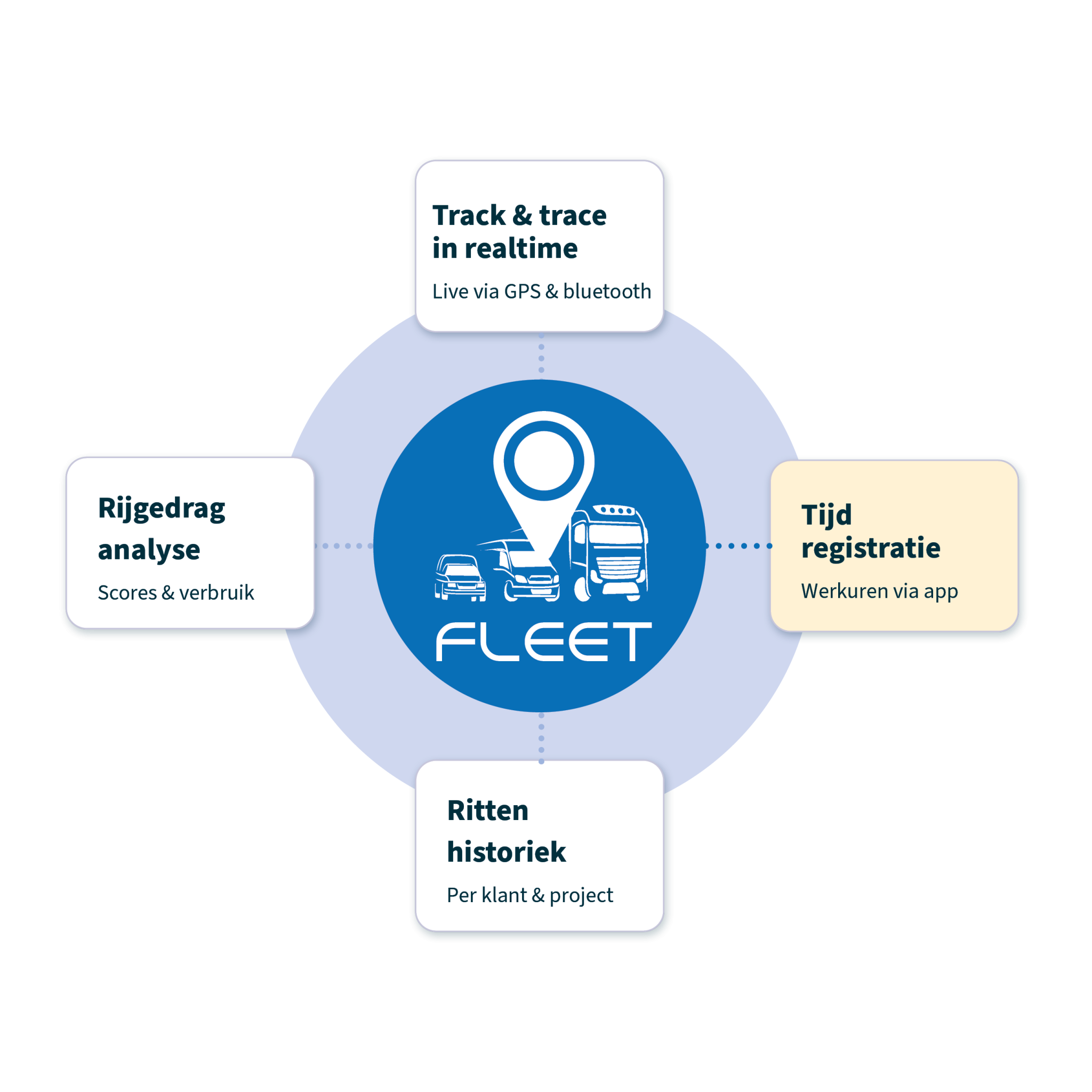
FLEET.connect platform
Time tracking isn't a standalone process
Within FLEET.connect, time tracking is fully integrated with your fleet management. This allows you to combine work hours with information about the vehicle, the trip, and the location—all on a single platform, without the need for separate tools.
Vehicle tracking and tracing
When someone logs in from the vehicle, their work hours are linked to the GPS data. This allows you to view both hours and locations together.
Handling and performance
Combine hours worked with driving behavior scores to get a complete picture of your drivers.
Trip Logging
Every trip can be tracked and linked to a project, customer, or cost center.
Scheduling and Dispatch
Plan tasks and track their progress—including the hours worked on them.
Transparency for you and your team
Employees know exactly what is being recorded and why—no hidden monitoring or unclear policies.
You have an objective overview based on precise data, not on interpretations or estimated times.
Discussions about working hours, breaks, or overtime are a thing of the past—the data speaks for itself.
Ready for Accurate Time Tracking
Digital time tracking helps you comply with Belgian regulations regarding working hours and rest periods.
Accurate records are tracked automatically—no more manual timesheet tracking.
Audit-ready reports are available for social inspections or audits—complete with timestamps, locations, and activities.
Ready for the next step?
Do you want to track your work hours automatically and accurately—without any extra paperwork?
Schedule a demo and discover how time tracking within FLEET.connect can make your operations more efficient. Belgian, local, and tailored to your specific needs.
Frequently Asked Questions
Everything you need to know about time tracking
The most important questions about digital time tracking for mobile teams — answered clearly and concisely.
Each employee records the start and end of their workday at their work location: using an ID key or badge in the vehicle, on a time clock at the depot, in the workshop, or at the office, on the job site tablet at the job site entrance, or via the app on their smartphone.
All records are compiled into a single, centralized overview. When someone logs in from the vehicle, you can also see where they worked and for which trip.
Drivers of vehicles equipped with a tachograph are already subject to strict rules regarding driving and rest times. In the construction industry, you use Checkinatwork to track attendance at large job sites.
In addition, starting in 2027, the government plans to introduce a general requirement to objectively document employees’ actual working hours. That law is still being drafted. According to the draft, there will be exceptions, including for certain mobile workers and those who set their own hours. It is not yet clear how far these exceptions will go.
Aside from the requirement: with digital time tracking, the start and end times are recorded, along with the exact time and location. This helps you avoid disputes about hours worked and allows you to immediately show exactly what work was done in the event of an audit.
Not with the RSZ: Checkinatwork applies to construction sites with a value of €500,000 or more (excl. VAT). So, for smaller construction sites, you don't need to report anything.
The planned work time tracking system does, however, cover your employees’ actual work time, even at a small job site. There, employees simply record their work time using their key in the vehicle, on a time clock, or via the app.
With a time clock at the office, in the warehouse, or in the workshop. The employee swipes their key on "IN" at the start of their shift and on "OUT" at the end. As an employer, you can choose between a blue ID key or an RFID badge. You can also clock in via the app.
Their hours appear in the same overview as those of your crews and drivers.
Yes. If you're already using driver identification in the vehicle or an AllConnects time clock, you can build on that. You don't have to start from scratch.
During a consultation, we'll work with you to determine what you can keep and what might need to be added—for example, a small time clock for your office or studio.
Yes. Recorded work hours can be exported to common payroll systems. This eliminates the need to manually transfer timesheets and reduces errors in payroll processing.
FLEET.connect time tracking is a solution for mobile teams that work with vehicles: hours are linked to trips and locations. LIVE.connect (performance mobility module) focuses on compliance in the construction industry, such as the mandatory registration via Checkinatwork. Both are available through the AllConnects platform.
The app is designed for use in the field. Data is stored locally and synced as soon as a connection is available. This ensures that no data is lost, even in areas with limited coverage.