


Checkin@work · Time and Attendance Tracking on the Construction Site

Which badge or carrier will you choose for Checkin@work?

Construbadge, LISA badge, Limosa document, company badge, or just your smartphone: the AllConnects time clock reads them all. You choose what works best for your business.

Construction companies that use AllConnects for daily reporting

Besix Logo BPC Group Logo Vandekerckhove Monument Logo Wust Logo HENS Logo Aertssen Logo

One time clock, one wearer

Not every construction company operates the same way—that’s why AllConnects is device-agnostic. As an HR manager, business owner, or site supervisor, you don’t have to hand out any extra badges: everyone checks in using whatever they already have on them, and you can be sure the site is in compliance with the RSZ. Jump straight to the device that interests you:

For construction companies with workers covered by PC 124

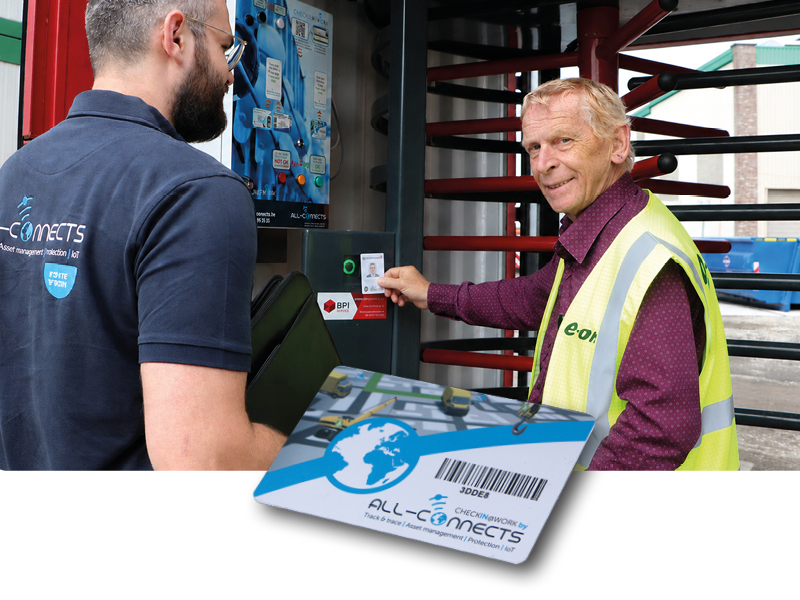
Checkin@work with the Construbadge

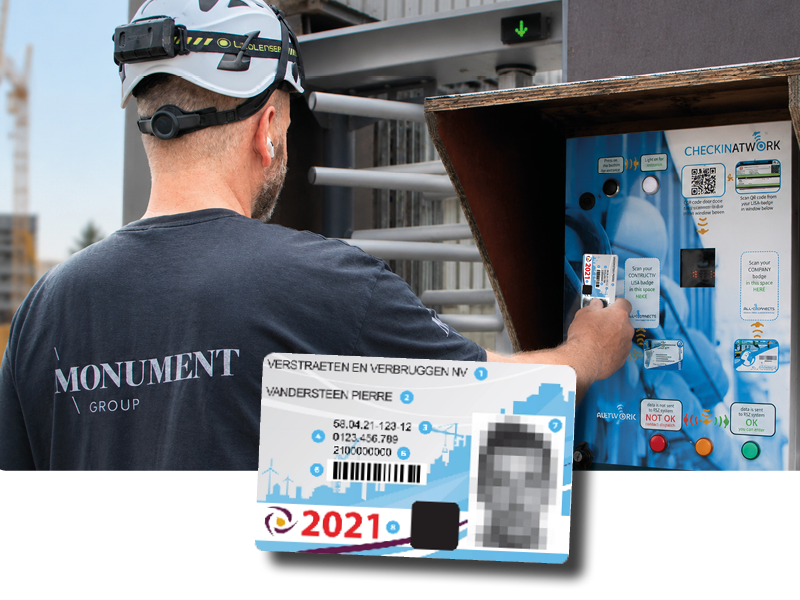
Do your workers already have a Construbadge from Constructiv? If so, you don’t need to do anything else: they can use it to clock in on the AllConnects time clock, and their attendance is automatically reported to the RSZ.

  • Existing badges will still be valid — no need to carry two cards
  • Registration automatically forwarded to Checkin@work (RSZ)
  • Can also be combined with other carriers for subcontractors
See how Construbadge works within AllConnects →
A worker scans his Construbadge at the Checkin@work time clock
One badge for all sites and systems

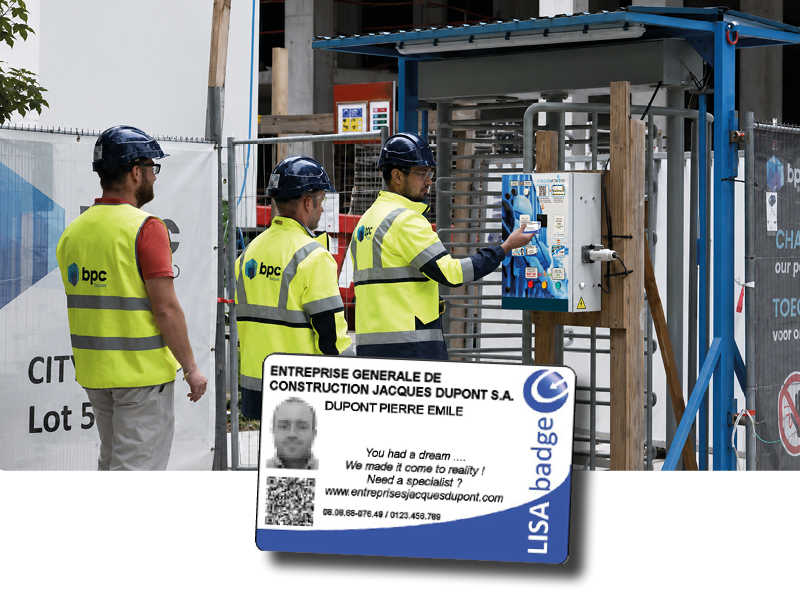
Checkin@work with the LISA badge

The LisaBadge (TO BE LISA) is a personal identification badge that works on any Checkin@work time-recording device—including AllConnects time clocks. Technologically, it works like a Construbadge; the difference lies in the accompanying information platform where time-recording data is shared by construction site.

  • One badge, regardless of status or joint committee
  • Works across contractors and systems — useful when working with many subcontractors
  • Is recognized by our time clock without any additional configuration

Good to know: AllConnects doesn't sell badges itself. We make sure that the badges your employees already have continue to work.

The LISA badge is scanned to record attendance at the construction site
For foreign employees and subcontractors

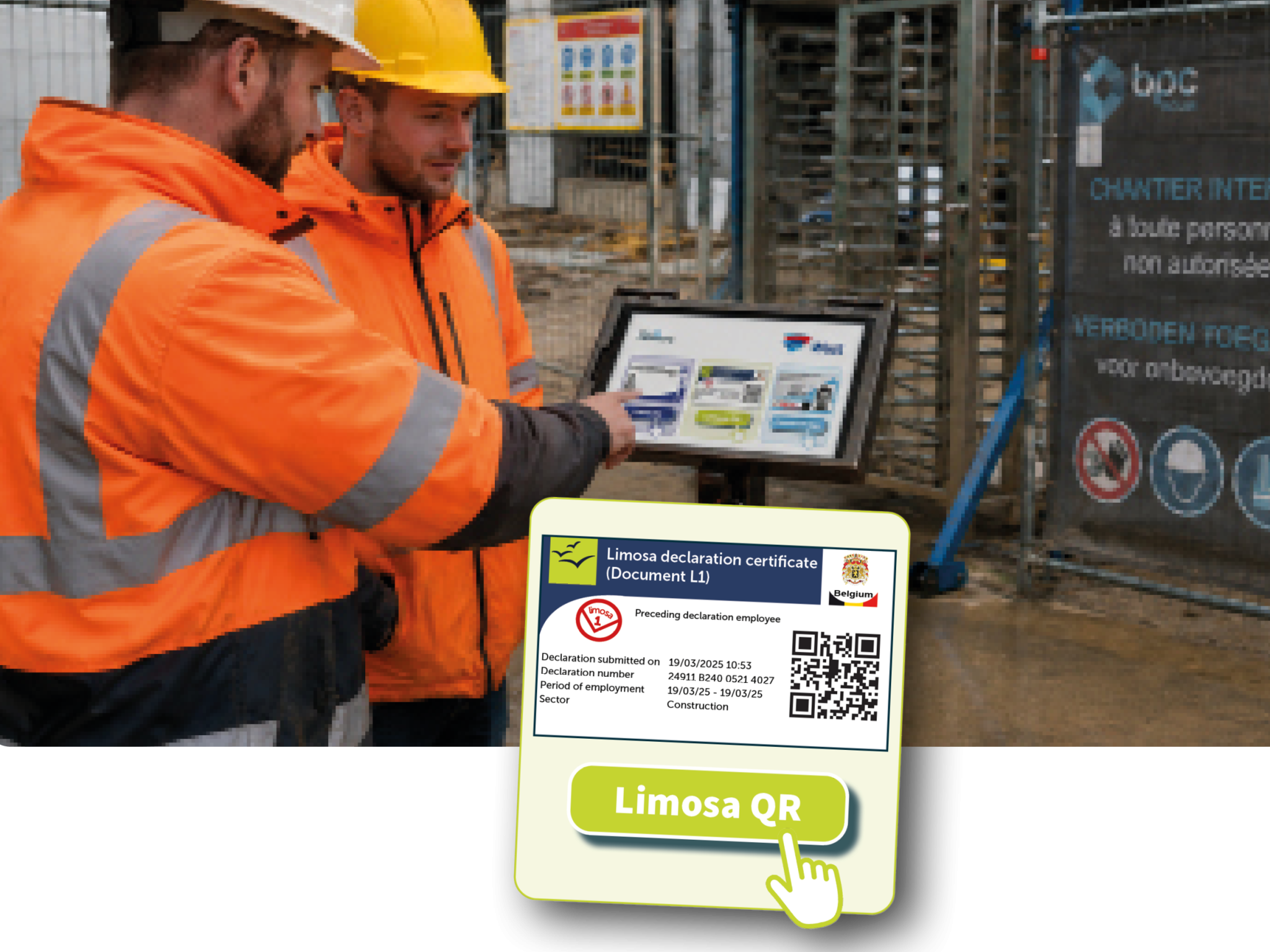
Register foreign employees through Limosa

Do you work with foreign employees or foreign subcontractors? If so, they can scan the QR code from their Limosa-1 document at the time clock. This way, as the general contractor, you can be sure that they are properly registered—without having to retype the information yourself.

  • Simply scan the QR code on the Limosa-1 document
  • Foreign contractors can register their crews themselves
  • As the general contractor, you’ll keep track of each construction site
Scan the QR code from a Limosa-1 document on the Checkin@work time clock
For companies with their own badge system

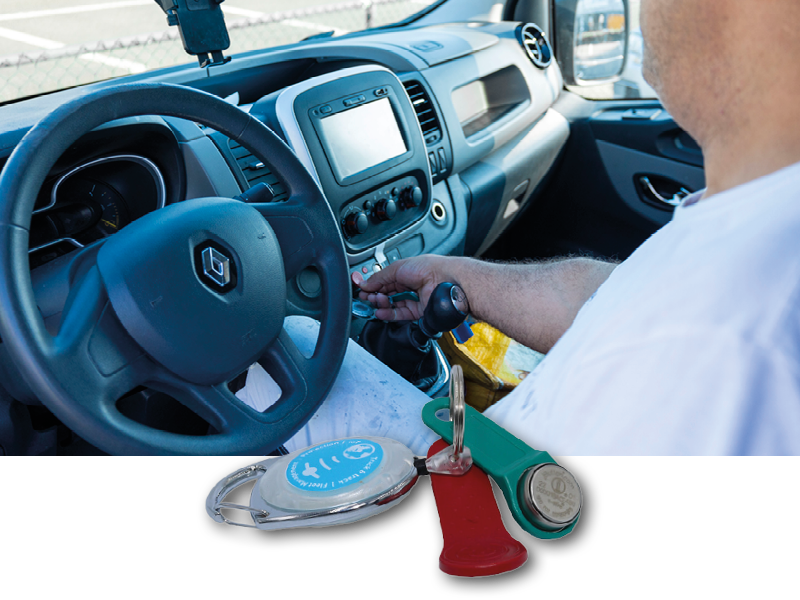
Check in with an RFID badge, Dallas key, or company badge

Does your company already have its own badge or tag—for the warehouse, the parking lot, or time tracking? Chances are it will work for Checkin@work, too. Even an ID card can serve as a form of identification.

  • RFID badge, Dallas key, company-issued badge, or eID
  • Do not order or distribute new badges
  • Multiple cards side by side on the same time clock
RFID badge and Dallas key for construction site registration via Checkin@work
For self-employed individuals and temporary construction sites

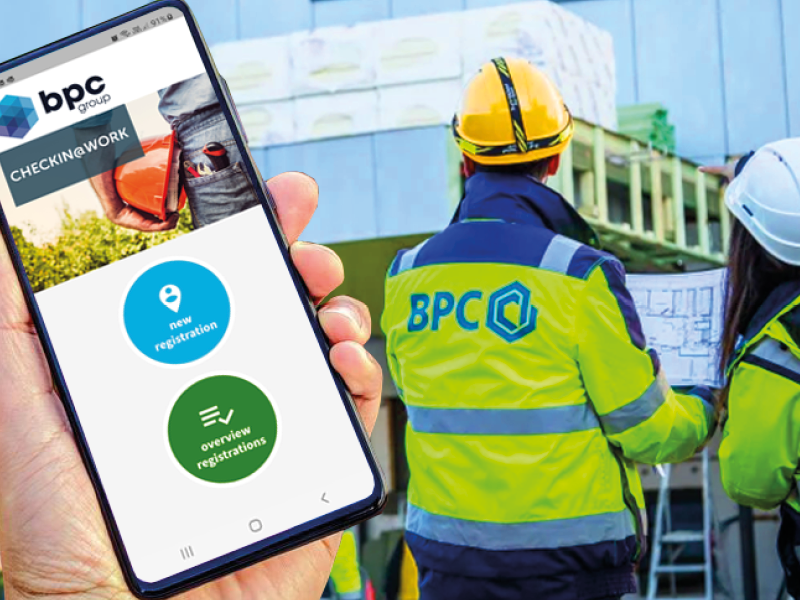
Check-in via the smartphone app

For independent subcontractors and employees who work at many different job sites, AllConnects’ CHECKIN@WORK app is the easiest way: open the app, scan the QR code on the time clock, and you’re done. The registration is automatically sent to the RSZ platform.

  • Available for free download on the App Store and Google Play
  • No badge required—the smartphone serves as the carrier
  • Ideal for smaller businesses and freelancers
Learn more about the CHECKIN@WORK app →
AllConnects' CHECKIN@WORK app scans a QR code on the job site time clock
For crews traveling to the shipyard together

Automatic registration via the vehicle

Does your team drive the van to the job site? With a mobile time clock in the vehicle, both the driver and passengers can clock in using their Dallas key or company badge. As soon as the vehicle enters the job site, everyone is automatically registered and their information is forwarded to the RSZ—without any additional steps.

  • Driver and passengers recorded in a single shot
  • This also serves as the basis for your mobility allowance (PC 124)
  • No more forgotten check-ins upon arrival
A mobile time clock in a delivery van automatically records the driver and passengers
For large construction sites with access control

Fixed time clock at the entrance gate — with or without a turnstile

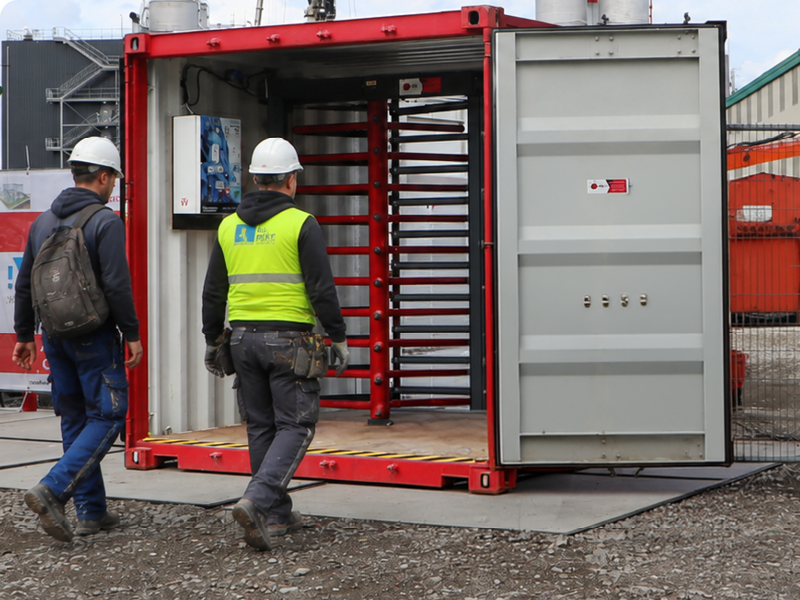
We install one or more Checkin@work time clocks at the entrance to the construction site. Want to ensure that only registered and authorized people enter the site? Combine the time clock with a turnstile: no registration, no access. AllConnects is the only provider in Belgium offering this combined solution.

  • Strict access control at the construction site gate
  • All devices on this page use the same time clock
  • Always Have a Complete Overview During a Social Inspection
Tourniquet with Checkin@work time clock for access control at the construction site
The only combined time clock and turnstile solution in Belgium.

Which carrier is right for your business?

In practice, most companies use a combination of approaches: a single, fixed method of clocking in for their own team—either by swiping a badge at the time clock or automatically via the vehicle—supplemented by a smartphone app for subcontractors and a Limosa QR scan for foreign crews. All users work side by side on the same solution, so you don’t have to choose.

CarrierBest suited forBiggest advantage
ConstrubadgeConstruction companies with workers covered by PC 124Existing badge, no additional paperwork
LISA badgeConstruction sites with many contractors and subcontractorsOne badge for all systems and job sites
Limosa-QRForeign Employees and SubcontractorsLegally compliant without retyping
RFID / Dallas / employee badge / eIDCompanies with their own badge systemReuse what you already have
Smartphone appSelf-Employed Workers and Rotating Work SitesNo badge required—always in your pocket
Via the vehicleTeams driving to the construction site togetherFully automatic, including mobility
Time Clock + TurnstileLarge construction sites with access controlOnly registered individuals on the construction site
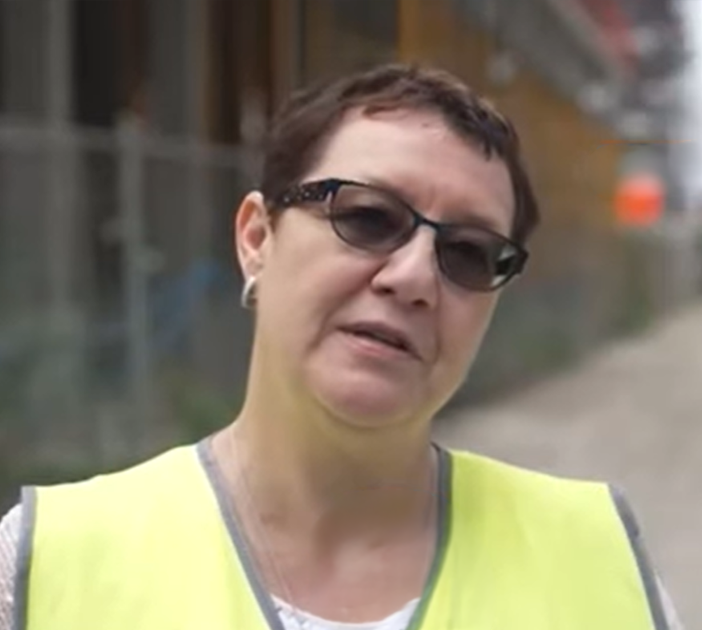
Cathérine Gérard, Checkin@work Manager at BPC Group

“47,000 attendance records in a single month. If all of that had to be done manually, it would have been an impossible task.”

Cathérine Gérard — Checkin@work Manager, BPC Group Read how BPC handles this at the CityDox shipyard →

Frequently Asked Questions About Badges and Badge Holders

Can I use our existing Construbadges for Checkin@work?

Yes. The Construbadge is recognized directly by the AllConnects time clock. Your employees scan their badge upon arrival, and the registration is automatically forwarded to the RSZ’s Checkin@work platform.

What is the difference between a LisaBadge and a Construbadge?

Technologically, there is no difference: both badges are read by time-clock devices in the same way. The LisaBadge is also linked to the TO BE LISA platform, where time-clock data is shared by construction site—which is useful when many contractors and subcontractors are working together. Both badges work with the AllConnects time clock.

How do foreign employees check in at the construction site?

Foreign workers and subcontractors scan the QR code from their Limosa-1 document at the Checkin@work time clock. Their attendance is automatically recorded with the RSZ.

Do all my employees have to use the same device?

No. In practice, most companies choose a single, fixed method of clocking in for their own employees—for example, the Construbadge or company badge at the time clock, or automatic clock-in via the vehicle. They supplement this with the smartphone app for subcontractors and self-employed workers, and a QR scan of the Limosa document for foreign crews. All users work side by side on the same AllConnects solution, so no one needs to carry an extra badge.

Will the new Checkinatwork rules in 2027 change the badge selection?

According to the current draft bill, real-time IN and OUT registration will become the standard, and advance registration will be phased out by January 1, 2027, at the latest. The text is subject to change during the legislative process. For your carriers, little will change: every carrier listed on this page supports registration upon arrival and departure. Read all about it on our Checkinatwork 2027 page.

Not sure which carrier is best suited to your needs?

Our consultants will work with you to determine which combination of badges, the app, or vehicle registration will result in the least amount of administrative work for your job sites. This consultation is free of obligation and tailored to your company’s needs.

Schedule Your Custom Demo Or call an expert: 03 289 55 35